FIDO
The FIDO section, accessible from the navigation pane, allows you to view and delete FIDO Fast IDentity Online. A security standard used for online authentication, based on a cryptographic key pair unique to each online service. For more information, visit https://fidoalliance.org/how-fido-works/ credentials stored on your device.
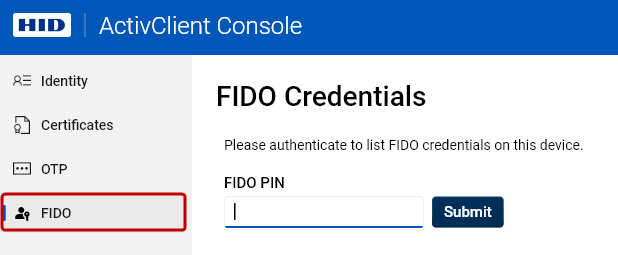
To view your FIDO credentials:
-
Click FIDO in the navigation pane of the ActivClient Console.
-
Authenticate using your FIDO PIN.
-
A list of FIDO credentials stored on your device will be displayed.
-
To view the details of a credential, click it in the list.
-
To delete a credential, click the trash bin icon
 on the right.
 -
To filter the list, type into the Filter credentials field.
FIDO Authenticator Information
ActivClient allows you to view the FIDO authenticator information. This information provides an overview of the properties and capabilities of the connected FIDO security device. It includes identifying details, supported FIDO standards and protocols, and available authentication features.
To view the FIDO authenticator information:
-
After authenticating with your FIDO PIN, click the information icon
 next to the FIDO Credentials heading.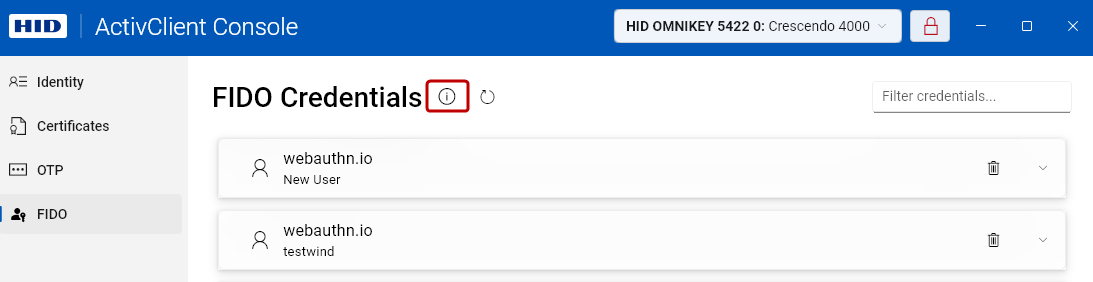
-
The FIDO Authenticator Info dialog opens.
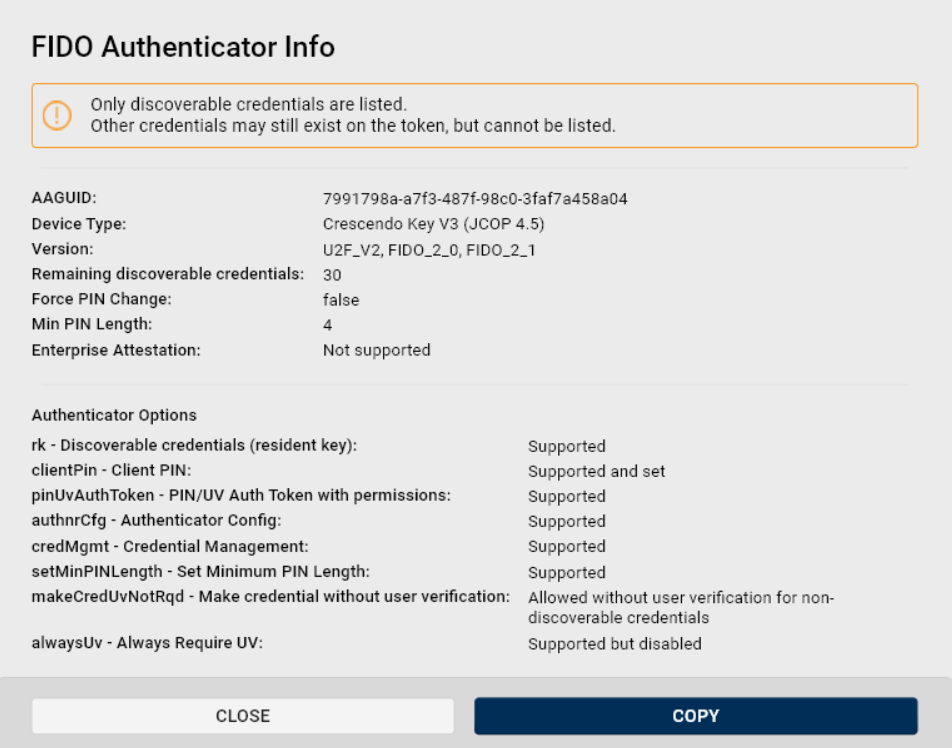
For a detailed explanation of the data shown in the FIDO Authenticator Info dialog, refer to the official FIDO Alliance documentation.