Configure the AAA Server SKI Connector Settings
In order to assign tokens on behalf of users, you must configure the Web Self Help Desk generic operator.
-
Click Start, point to All Programs, ActivID, AAA, and then click SKI Connector Configurator.
-
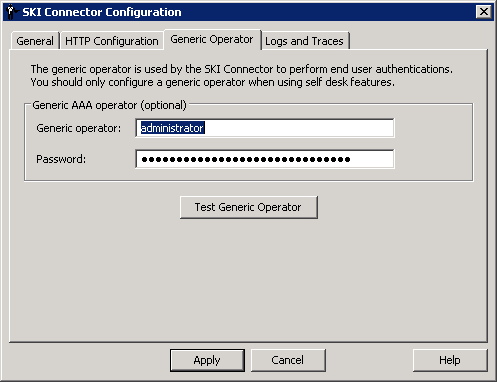
Select the Generic Operator tab.
-
Enter the Generic operator name and Password.
The SKI Connector must use the credentials of a generic AAA Server operator account to log on to the Web Self Help Desk.
- If the Web Help Desk device assignment functions are used, you can use the credentials of a Device Manager.
- If the functions are not used, you can use the credentials of a Help Desk operator.
-
To verify the specified account has the required access, click Test Generic Operator.
-
When the success message is displayed, click OK.
-
Click Apply for the changes to take effect.
The ActivID AAA SKI Connector service restarts.


