Monitor the Server Pool Status
It is possible to retrieve the ActivID CMS server status by using a URI. It is meant to be integrated into a monitoring system to check the server status and error conditions. This API In the context of ActivID CMS, an Application Programming Interface (API) is an external interface (for example, the CCM API) that makes it possible for applications not supported by HID Global to incorporate ActivID functionality. returns the status of the server in a format suitable for monitoring. It also checks the availability and status of the other backend servers required by ActivID CMS.
The syntax for this API call is:
https://<server>:<port>/aims/enterprise/batch?action=SynchronizeServers&CHECKCONNECTIVITY=YESIn order to authorize the use of this URI, you must change the value of the property AIMS.API.GetAllowed to yes in the AP_PROPERTIES table of the AIMSEE database. Then, you must restart IIS and CMS Server services.
For example, if the audit server is not reachable or a Directory Server becomes unavailable, this API returns an HTTP error. The syntax for this API call is:
https://server:port/aims/enterprise/batch?action=SynchronizeServers&CHECKCONNECTIVITY=SERVER-ERROR
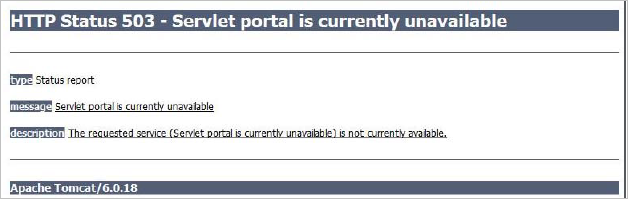
The API returns the standard HTTP Status 503 if the check connectivity fails for anything other than connectivity with peer servers.
 Disable Multiple Servers Synchronization
An entry point has been added to the API to disable temporarily multiple servers from synchronizing (for example, if one of the servers is down). In this case, server synchronization is not done, but the check connectivity is still active.
The syntax used for this API call is:
https://server:port/aims/enterprise/ batch?action=SynchronizeServers&DISABLEINSTANCE=nnwhere nn is the instance number.
GetStatus
This function provides information about an operator’s logged-on status. It returns information indicating if an operator is logged on or off. ActivID CMS servers use this function internally to check if the operator is connected to another server in the pool. This function posts a transaction to the other servers when an operator logs on to check if anyone is logged on to another server.
All users are treated as if coming from the same machine. This is a matter of security and privacy, because the internal IP address is not provided to external servers.
Syntax
https://host:port/aims/batch?action=SynchronizeServers&OPERATOR=Operator,Kill=NO/YESwhere:
-
Operator is the name of the operator being controlled.
-
Kill specifies if the operation should be logged out (forced). Possible value is NO or YES.
For example:
https://moon:49153/aims/enterprise/batch?action=SynchronizedServers&OPERATOR=Administrator,Kill=NOThe response to the request is returned in an HTML page that contains the following:
<Response> loggedon=yes
remoteaddress=192.168.2.211
errorcode=0
message=
</Response>
where message is one of the following errors.
|
Return Value |
Description |
|---|---|
|
loggedon |
Yes/No |
|
remoteaddress |
IP Address |
|
errorcode |
Numeric value indicating type of occurred error. If the errorcode in the message equals 0, the request was processed without error. |
The response to the request is returned in an HTML page that contains the following:
<Response> loggedon=yes
remoteaddress=192.168.2.211
errorcode=0
message=errorMessage
</Response>
where errorMessage is one of the following errors.
|
Error |
Description |
|---|---|
|
ERROR_SERVER_EXCEPTION |
Initialization of function failed. |
|
ERROR_NO_AUTHORIZED_OPERATOR |
Certificate does not belong to a registered ActivID CMS-Enterprise operator. |
|
ERROR_ACCESS_DENIED |
Operator does not have privileges to execute function. |
|
ERROR_GET_METHOD_NOT_ALLOWED |
GET method not supported by API. |


