Rehash Operators
CMS operators are protected from database hacking. Each operator's information is hashed using a private key protected by the CMS security password. Only ActivID CMS can compute this hash; it cannot be guessed or computed.
If an operator hash is corrupted, then:
-
The operator cannot connect, and
-
Other operators may have problems with the operators listing (Configuration > Operators > Search).
In ActivID CMS 6.3, a new Admin Console button has been added to the server admin screen. This button is available when:
-
CMS is started in Attended start-up mode.
Note: The passwords must have been entered. -
The server admin screen is accessed from the CMS server itself.
Important:
This button is NOT available remotely.
To access the Admin Console:
-
On the CMS server, open the HID Global item in the Windows Start menu, then select Connect to CMS Admin.
-
In Attended start-up mode, enter the password (if not already done), and wait for CMS to start.
Note: This procedure is detailed in ActivID CMS Configuration. -
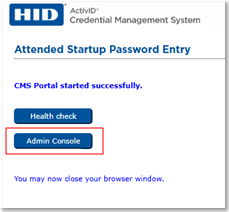
Click on the Admin Console button.
-
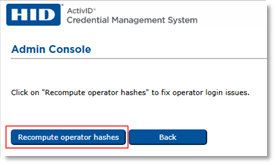
Click on the Recompute operator hashes button, and wait for the CMS feedback:
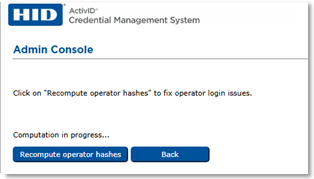
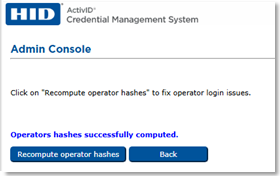
Once the operation is completed, all the active operators will be able to connect:
-
You can now close the browser window.