Regenerate Self-Signed Certificate
This will regenerate a new self-signed SSL server certificate and corresponding private key.
-
In the Administration section of the navigation bar, click Update Server Certificate.
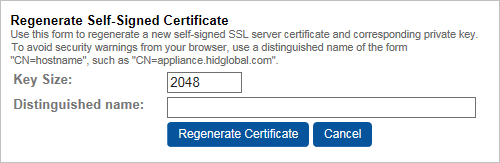
-
In the Regenerate Self-Signed Certificate section of the page, enter an X.500 Distinguished Name that identifies your organization and the Validation Responder Appliance (for example, CN=appliance.yourcompany.com, O=YourCompanyName).
Specify the SSL Key Size or accept the default. The Key Size field specifies how large the SSL keys will be when regenerating a self-signed SSL certificate.
-
Click Regenerate Certificate.


