Viewing Activity Summary
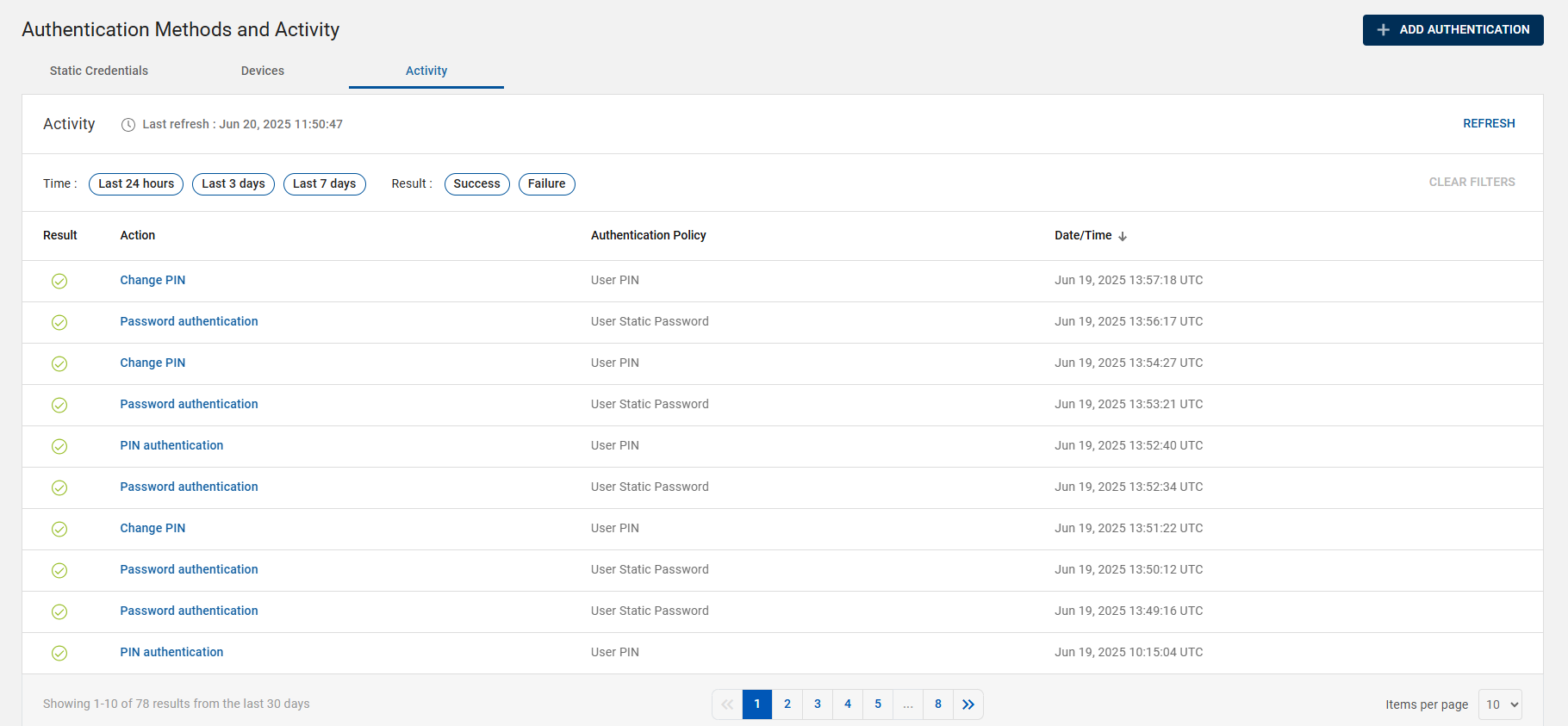
The activity summary for the user's authentication methods provides a historical record of system activities that includes date/time, action, authentication policy, and results (success/failure).
You can view the activity summary for the user's authentication methods by following the below steps:
-
Click Users
 in the left navigation bar to open the Users page.
 -
From the list of users, choose and click a user you want to view the activity summary.
-
The user account page opens, go to Authentication Methods and Activity section >> Activity tab.
-
In the Activity tab, you can see a list of audit records with the following details:
Note: You can view up to 30 days of audit record data for the user.-
Result: "Success" (
 ) or "Failure" (
 ) status of the authentication.
 -
Action: The activity/action performed by the user.
-
Authentication Policy: Type or Name of the authentication method.
-
Date/Time: The date and time (in UTC) when the action/activity performed by the user.
-
Filtering Audit Record Data
You can filter the user's audit record data with the use of parameters such as time duration (last 24 hours/3 days/7 days) and results (Success/Failure).
You can clear all the filtered data by clicking CLEAR FILTERS button. Also, you can clear the filtered data by deselecting one-by-one filtered parameter.
Audit Record Details
The Activity tab shows a list of audit records for an user. Each audit record shows a number of detailed parameters related to an audit log/activity.
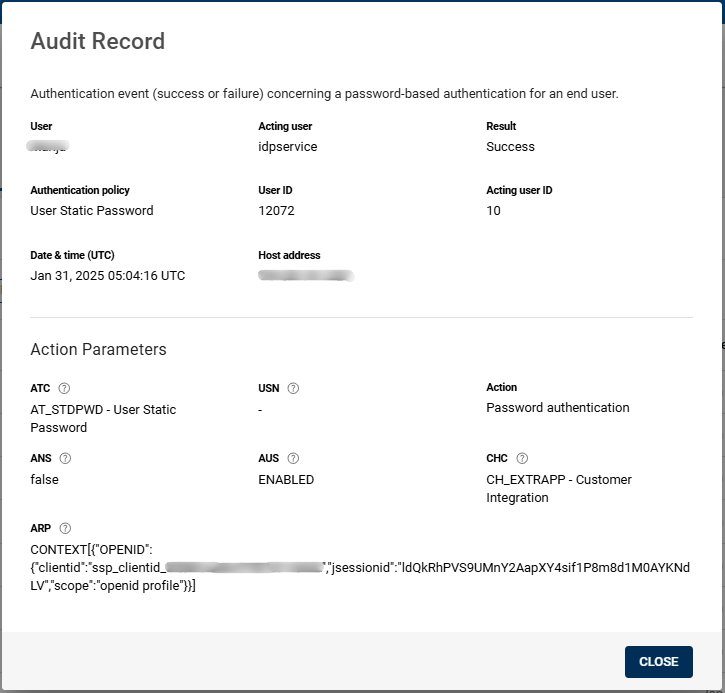
Click on the row of an audit record to open the Audit Record pop-up box and view the detail parameters for that audit record. The screenshot shown below is an example of an audit record.