Reset PIN
When user forgets the current PIN, follow the steps below to reset your PIN:
-
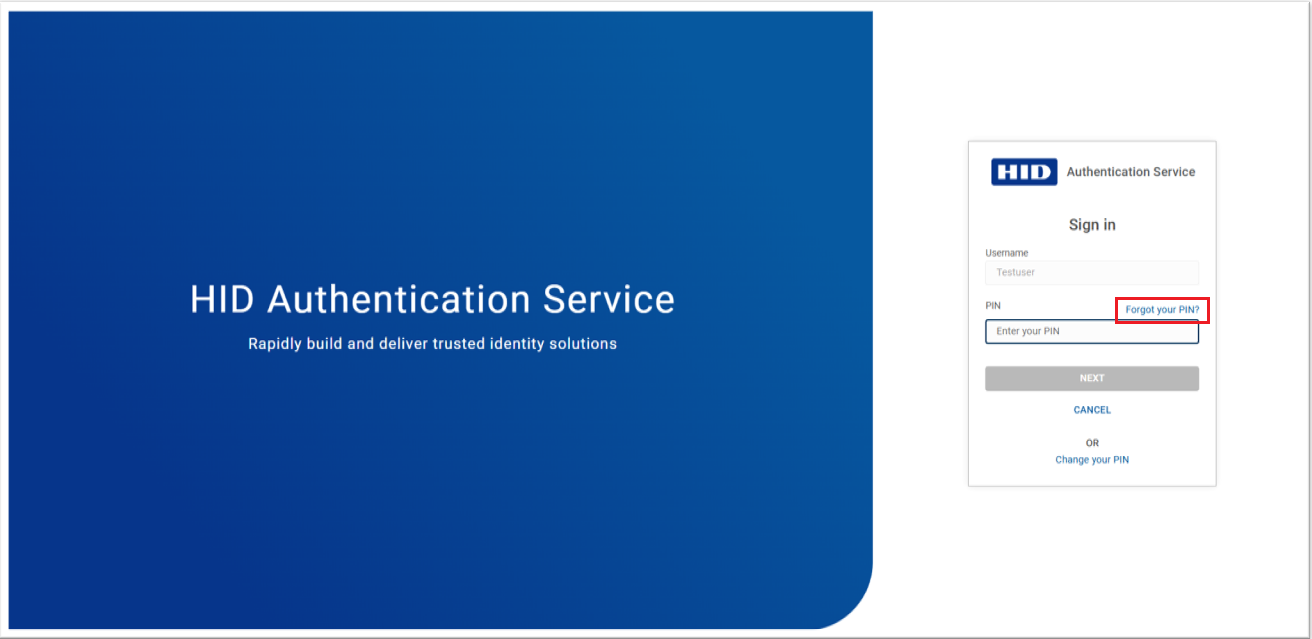
Go to the login page of the Self Service Portal where your PIN is used as an authenticator and click on Forgot your PIN?.
-
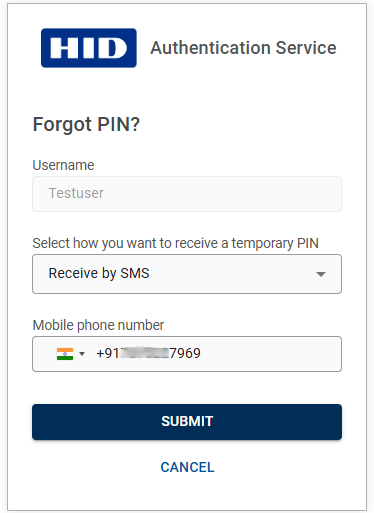
You will be prompted to Forgot PIN screen, select Receive by email or Receive by SMS option and then enter your email address or mobile phone number to receive a temporary PIN.
-
Click SUBMIT, then you will get a temporary PIN via email or SMS (based on your selection in the previous step).
-
Enter the temporary PIN (received via email/SMS), then enter the new PIN and confirm PIN password. Click SUBMIT.
Note: Please follow the PIN rules and constraints displayed while creating your new PIN.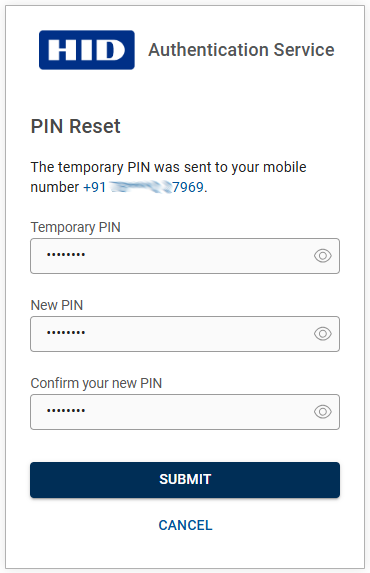
-
You will see a success message once your PIN is reset. Then, log in to the application with your new PIN.


