Upgrading the Minidriver
You can update the Minidriver version using the Device Manager.
- Launch the Minidriver package from HID’s web site: http://www.hidglobal.com/drivers.
- Unzip the .cab file.
- Insert a supported device.
- Launch the Device Manager.
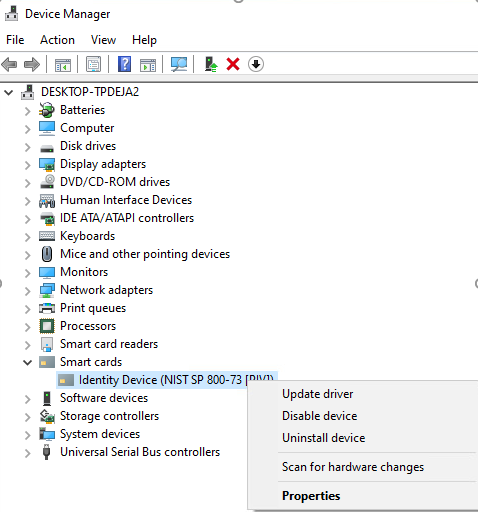
- Select the Identity Device (NIST SP 800-73 [PIV]) in the Smart cards section.
- Right-click and select Update driver.
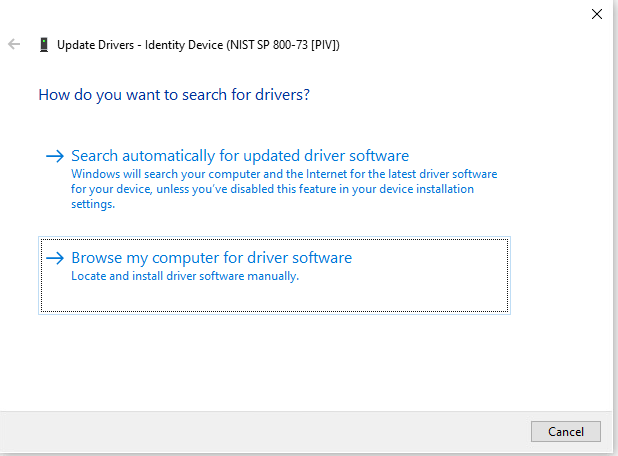
- Select Browse my computer for driver software.
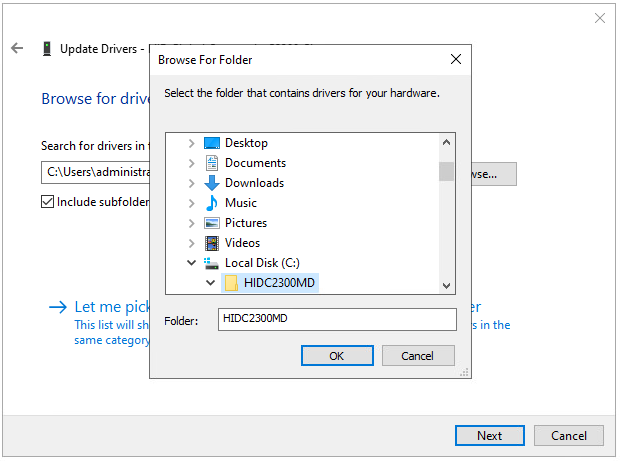
- Choose the directory where the package has been unzipped.
- Click OK and then Next.
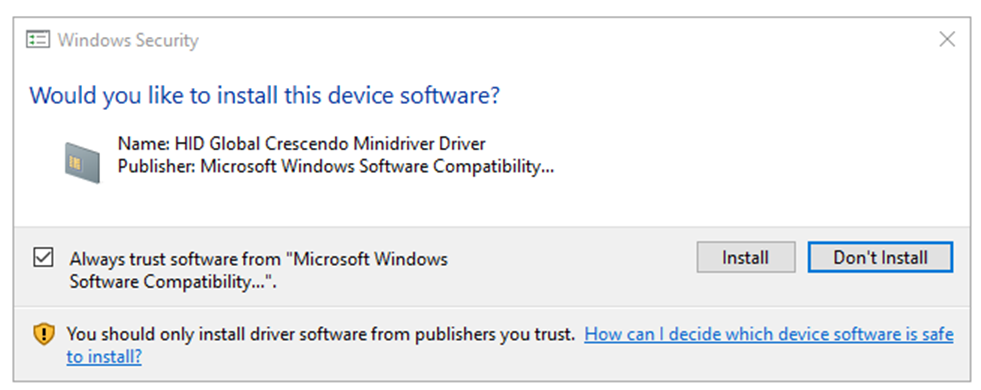
- Click Install.
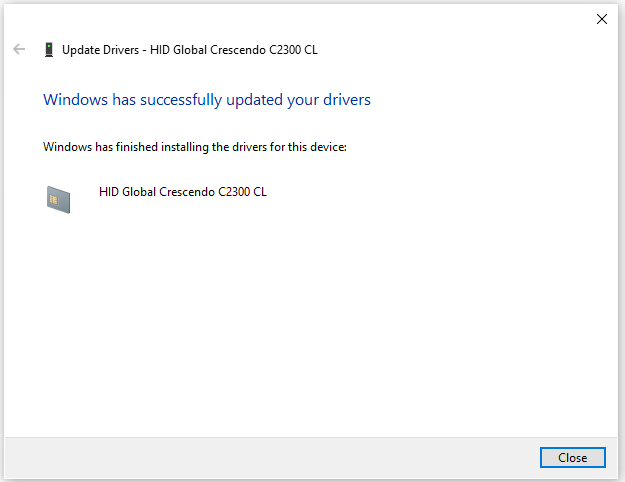
- Click Close.


