Utilities
This page describes the utilities provided with your DigitalPersona Server.
DeployTemplates.bat
You can use the DeployTemplates.bat batch file to copy DigitalPersona ADMX files to your domain’s Central Store.
If a Central Store doesn’t exist, the file will copy the ADMX files to a local PolicyDefinitions store on the machine where it is run.
The DeployTemplates.bat file is located within your DigitalPersona software package at the following location:
DigitalPersona LDS Server\Server Tools\Policy Templates
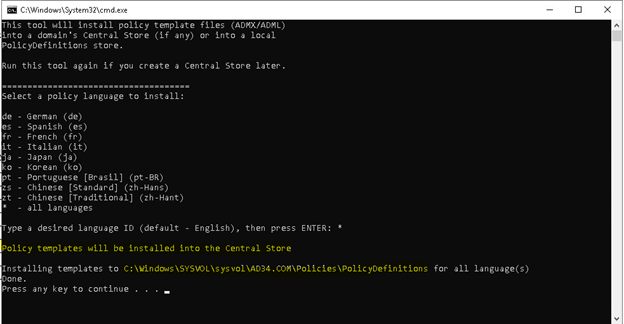
Running the file will display the following UI:
-
Select a policy language to install by typing the two-letter abbreviation for a language, or type an asterisk (*) to install all languages.
-
Press Enter.
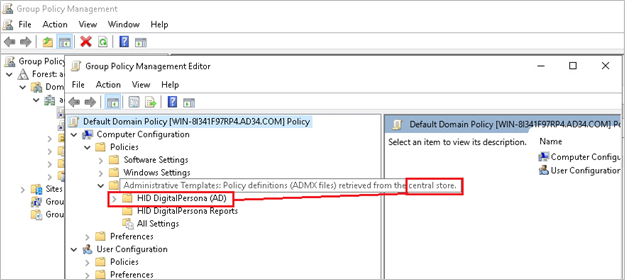
You can verify that the policies have been copied to the domain’s Central Store by ensuring that the GPME indicates that the Policy definitions have been ‘retrieved from the central store’.