RADIUS Credentials
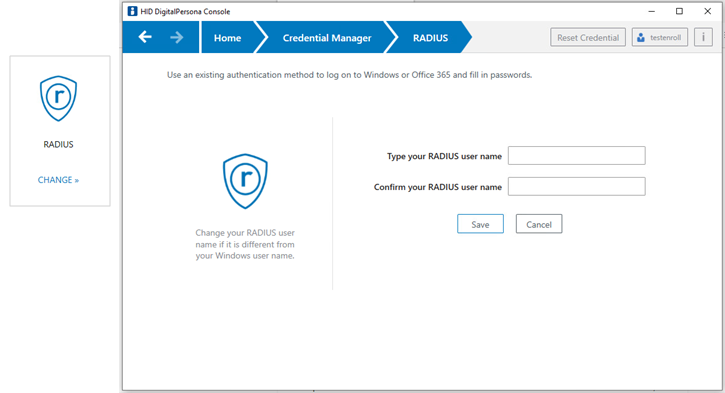
The RADIUS page enables you to enroll a RADIUS credential.
Important: RADIUS enrollment is needed only when the RADIUS user name differs from the Windows user name.
Enroll a RADIUS Credential
-
On the DigitalPersona Console Home page, select Credential Manager, and click CHANGE on the RADIUS tile to display the RADIUS page.
-
Enter and confirm your RADIUS user name.
-
Click Save to complete the enrollment.
Authenticate with RADIUS at Windows Logon
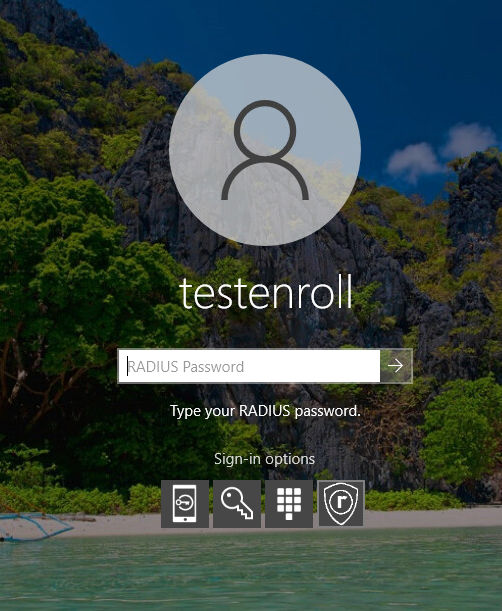
To authenticate with your RADIUS credential at Windows Logon, select the RADIUS Sign-in option and enter your RADIUS password.
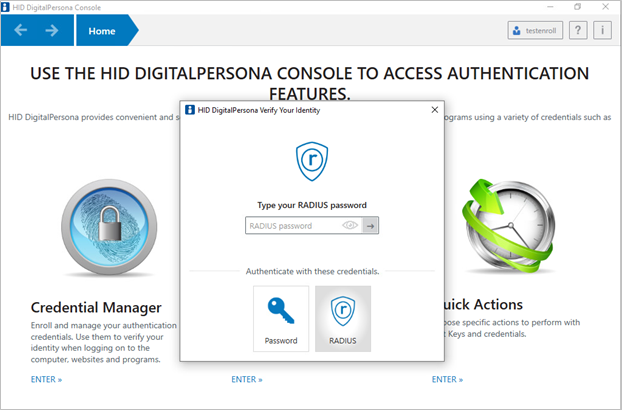
Authenticate with RADIUS in the Verify Your Identity window
To authenticate with your RADIUS credential at Windows Logon, select the RADIUS credential and enter your RADIUS password.