RADIUS Credentials
A RADIUS credential is a set of authentication information (such as your username and password) used to verify your identity when connecting to secure networks or services, such as corporate Wi‑Fi or remote access solutions.
Enroll a RADIUS Credential
-
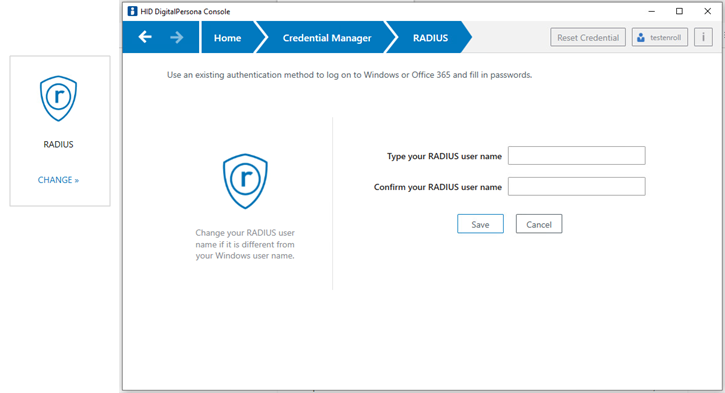
On the DigitalPersona Console Home page, select Credential Manager, and click CHANGE on the RADIUS tile to display the RADIUS page.
-
Enter and confirm your RADIUS user name.
-
Click Save to complete the enrollment.
Authenticate with a RADIUS Credential
-
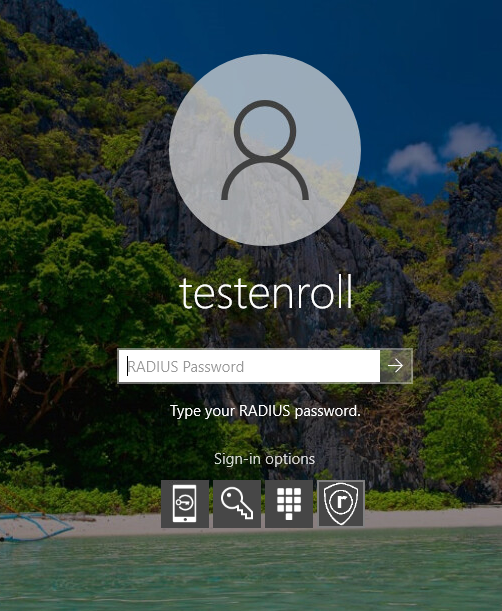
To authenticate with your RADIUS credential at Windows Logon, select the RADIUS Sign-in option and enter your RADIUS password.
-
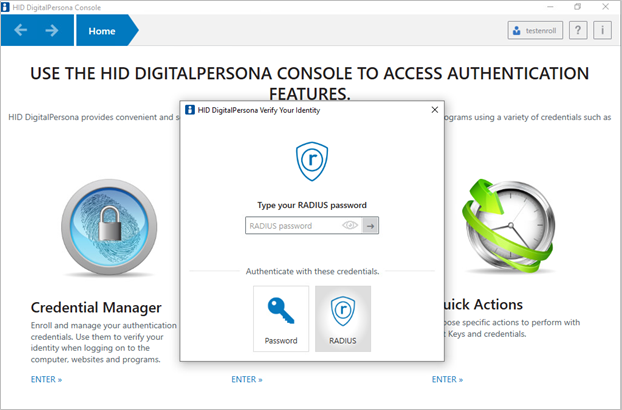
To authenticate with your RADIUS credential to verify your identity in the DigitalPersona applications, select the RADIUS tile and enter your RADIUS password.