Card Credentials
A smart card credential is a digital identity stored on a smart card that allows you to authenticate and access company resources securely.
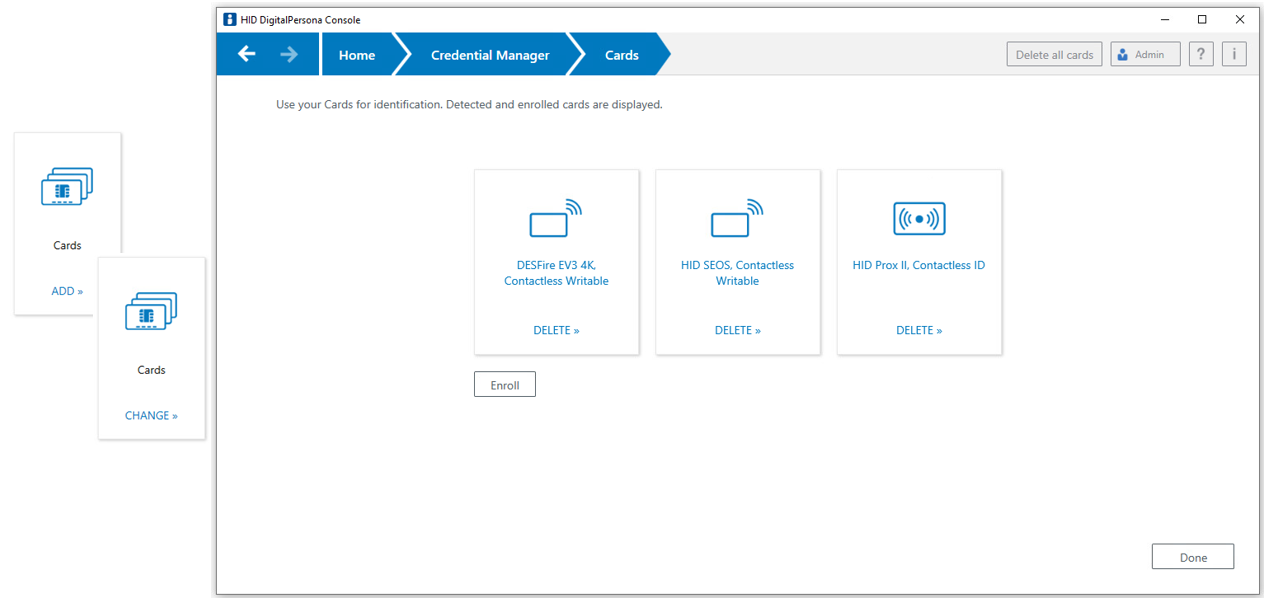
The Cards page allows enrolling a Contactless Writable or Contactless ID Card credential.
Enroll a Contactless Card Credential
-
On the DigitalPersona Console Home page, select Credential Manager, and click ADD on the Cards tile.
-
Click Enroll.
You will be asked to present the card to be enrolled.
-
Place the Contactless card very close to the reader and hold it there until an image of the enrolled card appears or an error message is displayed.
If an error prevents the completion of the enrollment, click Cancel.
-
Click Done to return to the Credential Manager page.
Authenticate with Your Card Credential
To authenticate with your Card credential, use one of the following options depending on from where you are authenticating
-
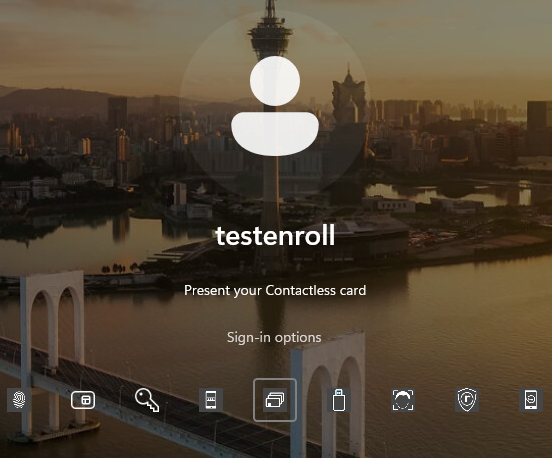
At Windows Logon, select the Card option and place your contactless card very close to the reader attached to your computer:
-
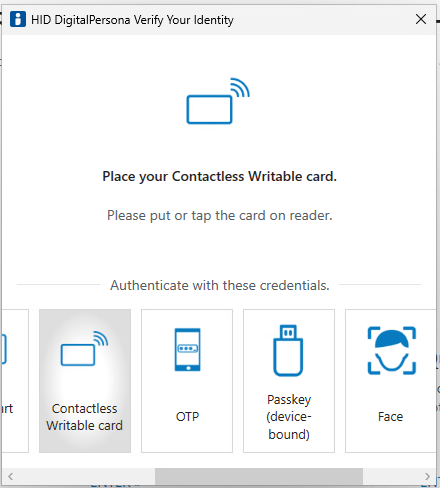
To verify your identity in the DigitalPersona applications, select the Card file and place your contactless card very close to the reader attached to your computer:
Delete a Card Credential
-
Click the Cards tile.
-
Click Delete on the card image for the card you want to delete.
-
Confirm the deletion.


