How to Restrict Badge Printing for Expired Visits
Overview
This document outlines how to enable a system setting that prevents users from printing visitor badges for expired visits. Enabling this feature helps enhance security by ensuring temporary access badges cannot be issued after the scheduled visit time has passed, reducing the risk of unauthorized access or misuse.
How is an “expired visit” defined?
A visit is considered expired when the meeting end time is past the current system time.
By default, this setting is disabled, meaning users can print badges for expired visits unless they follow the steps outlined in this document to restrict that behavior.
Applicable Roles
-
Visitor Administrator
Instructions for Enabling the Setting
Follow these steps to enable the restriction:
-
Log in to HID VM as a Visitor Admin.
-
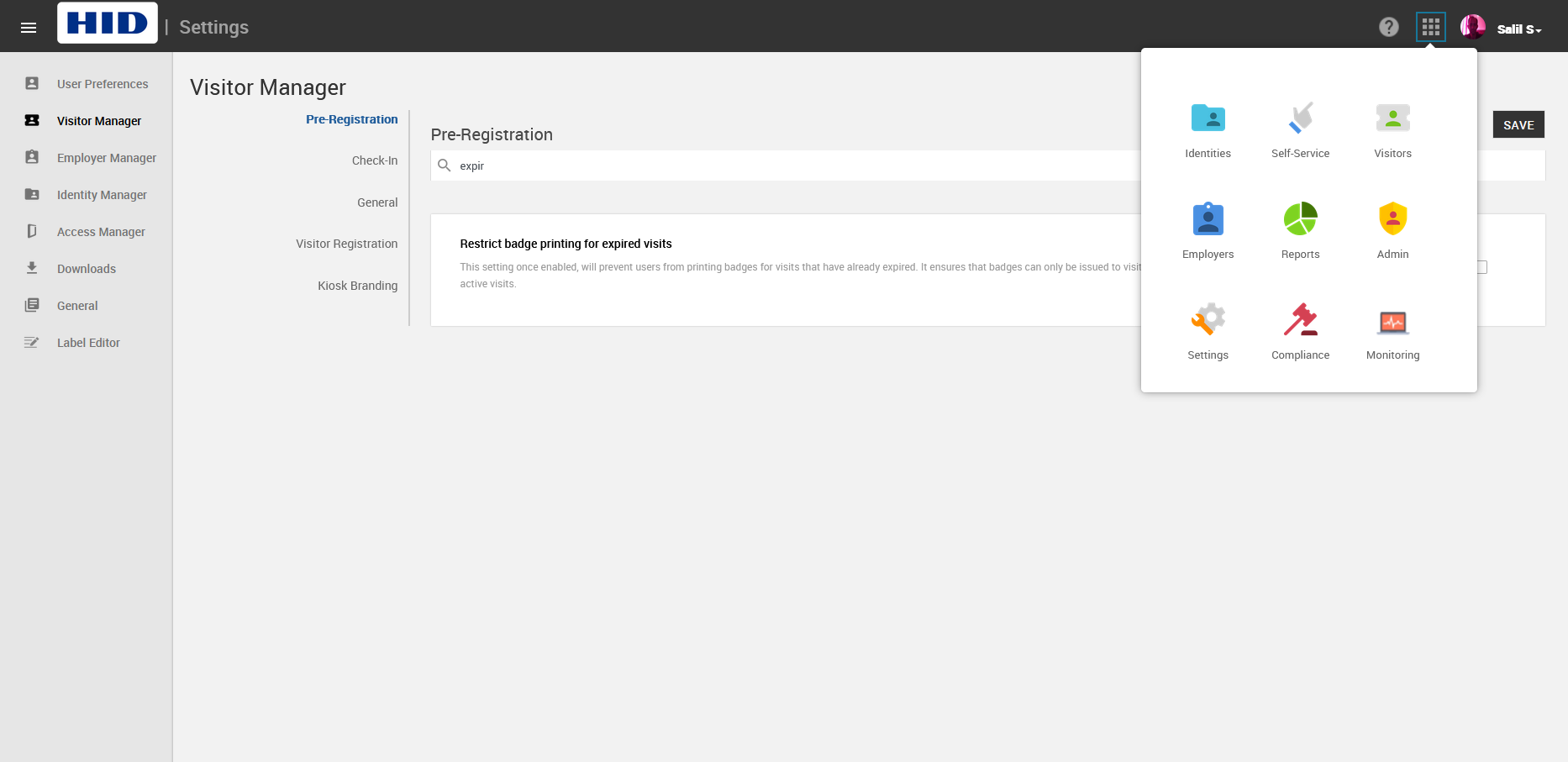
Navigate to the App Launcher > Settings module > Visitor Manager in the left navigation panel.
-
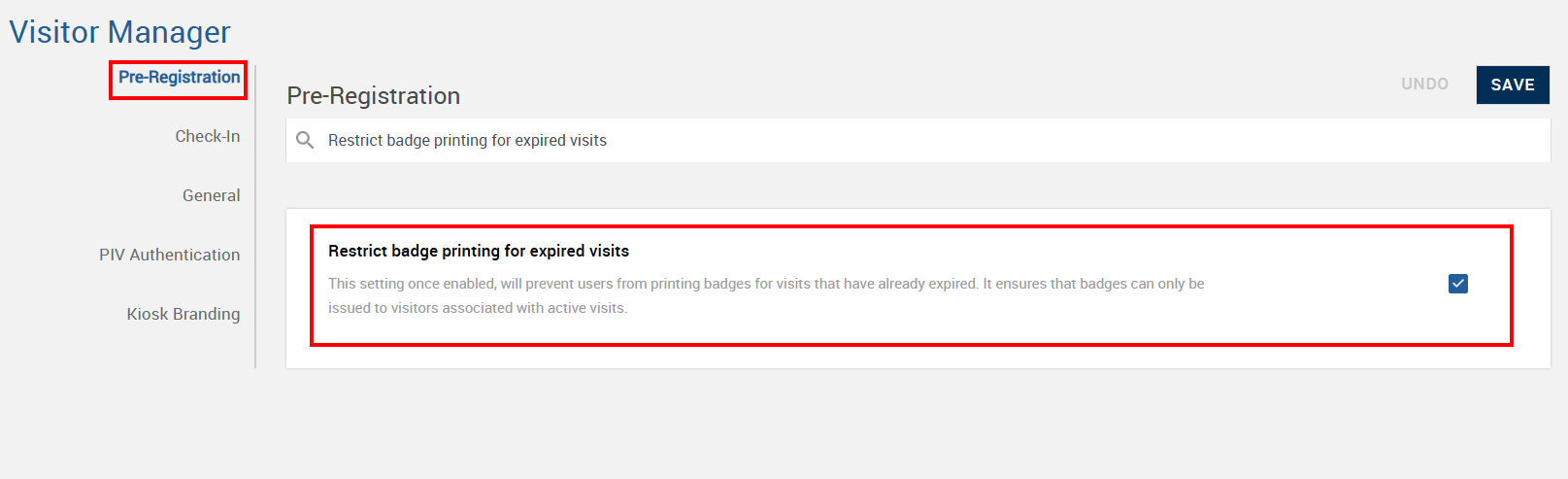
In the Pre-registration section, search for the setting named “Restrict badge printing for expired visits”. Click the corresponding box to enable the setting. You should now see a checkmark inside of the box.
-
Click SAVE.
Validating the Restriction
Once the setting is enabled, the VMO/VMS will not be permitted to print the badge for an expired visit.
The steps below test its functionality by attempting to print a badge for an expired visit.
How is an expired visit defined?
A visit is considered expired when the meeting end time is past the current system time.
Steps for VMO/VMS
-
Log in to HID VM as a VMO or VMS.
-
Navigate to the check-in page for a visitor with an expired visit.
-
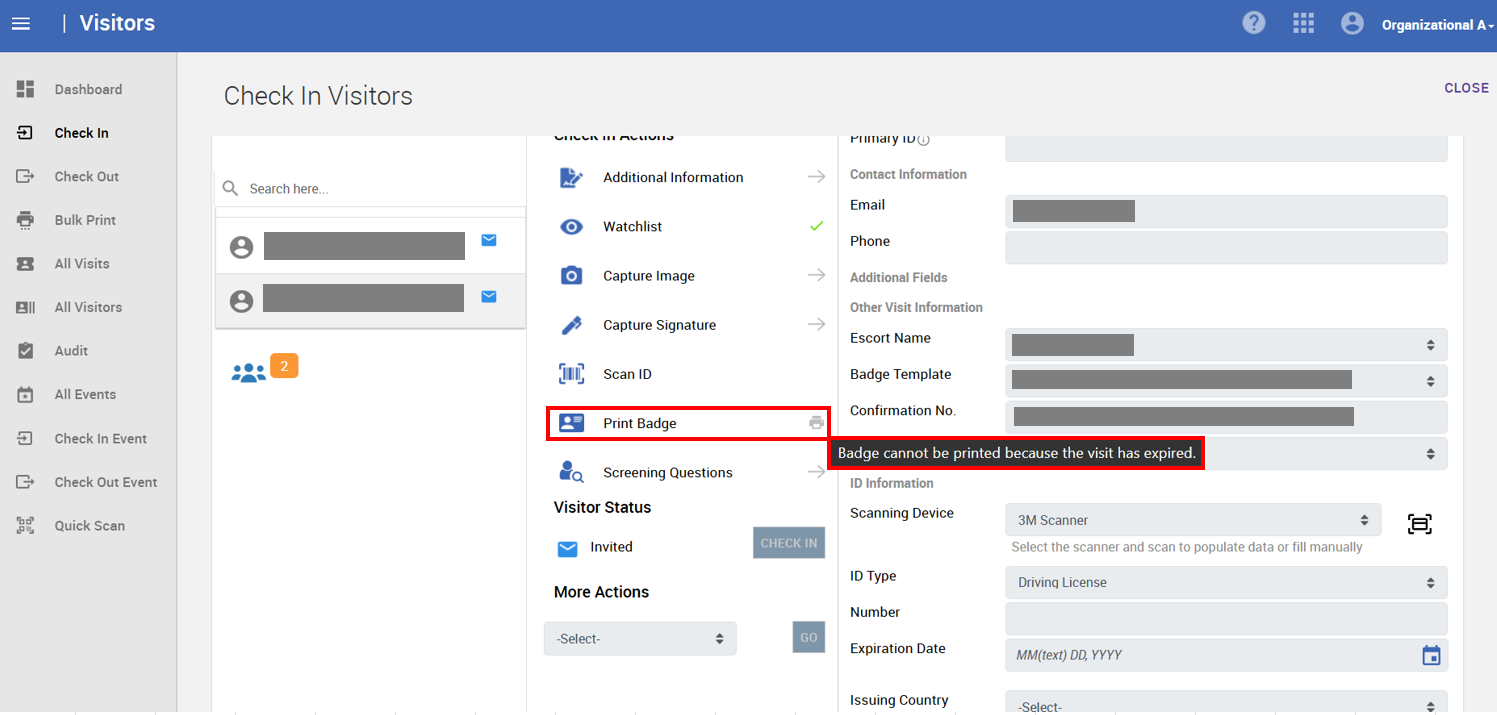
Observe the Print Badge option:
-
The print icon/button will be greyed out (disabled).
-
An informational text will be visible, stating: “Badge cannot be printed because the visit has expired”.
-
Additional Scenarios
-
Additional Badges: The “Restrict badge printing for expired visits” setting applies whether the user is trying to print an expired badge via mouse click or via hotkey.
-
Hotkeys: The “Restrict badge printing for expired visits” setting applies whether a user is trying to print an expired badge via mouse click or via hotkey.
Since the kiosk automatically prevents check-in after a visit expires, there’s no impact of the setting: “Restrict Badge Printing for Expired Visits” on the check-in flow at the kiosk. This restriction is always enforced on the kiosk.
Visitors who arrive after their visit has expired must check in at the front desk.


