HID Origo Agent Setup Guide
Introduction
About this Document
The HID Visitor Manager Origo agent setup documentation aims to provide information and instructions for configuring the agent for integration with HID Origo Systems. The documents also specify tools and techniques that are generally used to troubleshoot any problems that may arise while integration. It uses a combination of high-level feature descriptions, representative screen images and specific sequences to perform configuration and integration of HID Visitor Manager with HID Origo. The scope of the document does not cover bulk load mode and badging settings.
Intended Audience
It is expected that this guide will be used by administrative and technical staff during the integration of HID Visitor Manager with the HID Origo. In order to get the most from this guide, the readers should have an understanding and familiarity of:
-
HID Visitor Manager system, agents and HID Origo system and its components.
Pre-Requisite
Tenant should have subscribed for wallet add-on.
Configuring Agent
This section describes how to configure the HID Origo agent in the HID Visitor Manager application.
-
Log in to HID Visitor Manager as an Org Admin.
-
Click App Launcher and select Settings module.
-
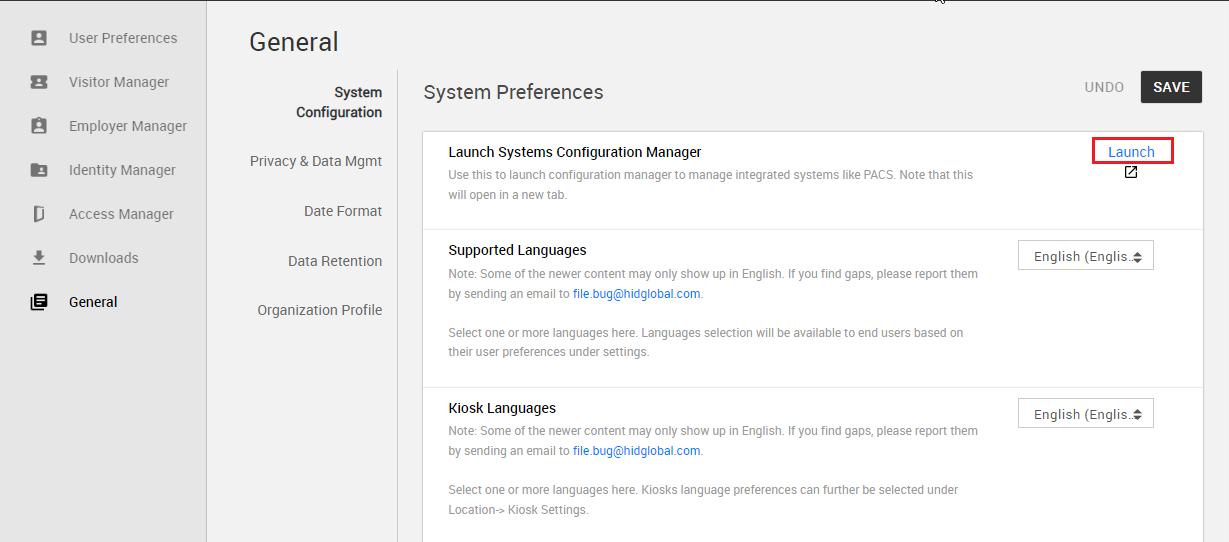
Click on the General tab and click the Launch link to open the Configuration Manager in the new tab.
-
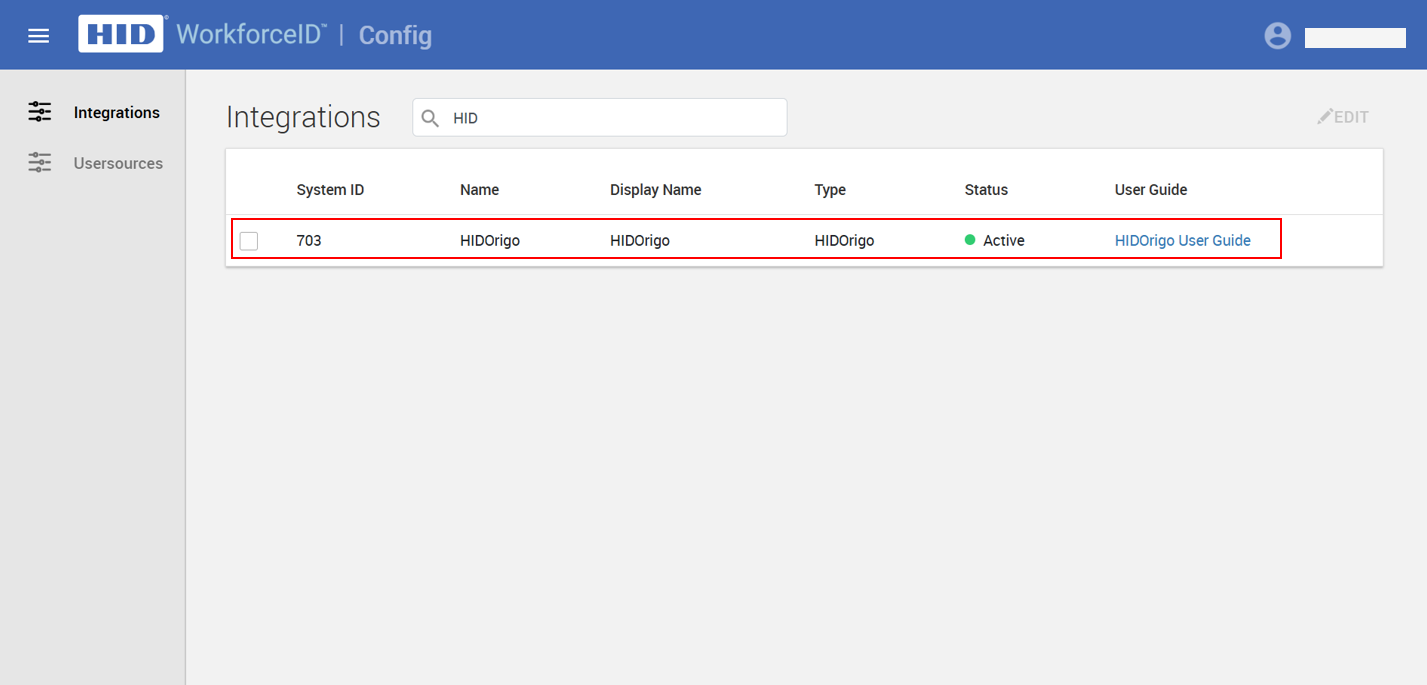
Select the HIDOrigo agent system and click the Advanced sub-tab.
-
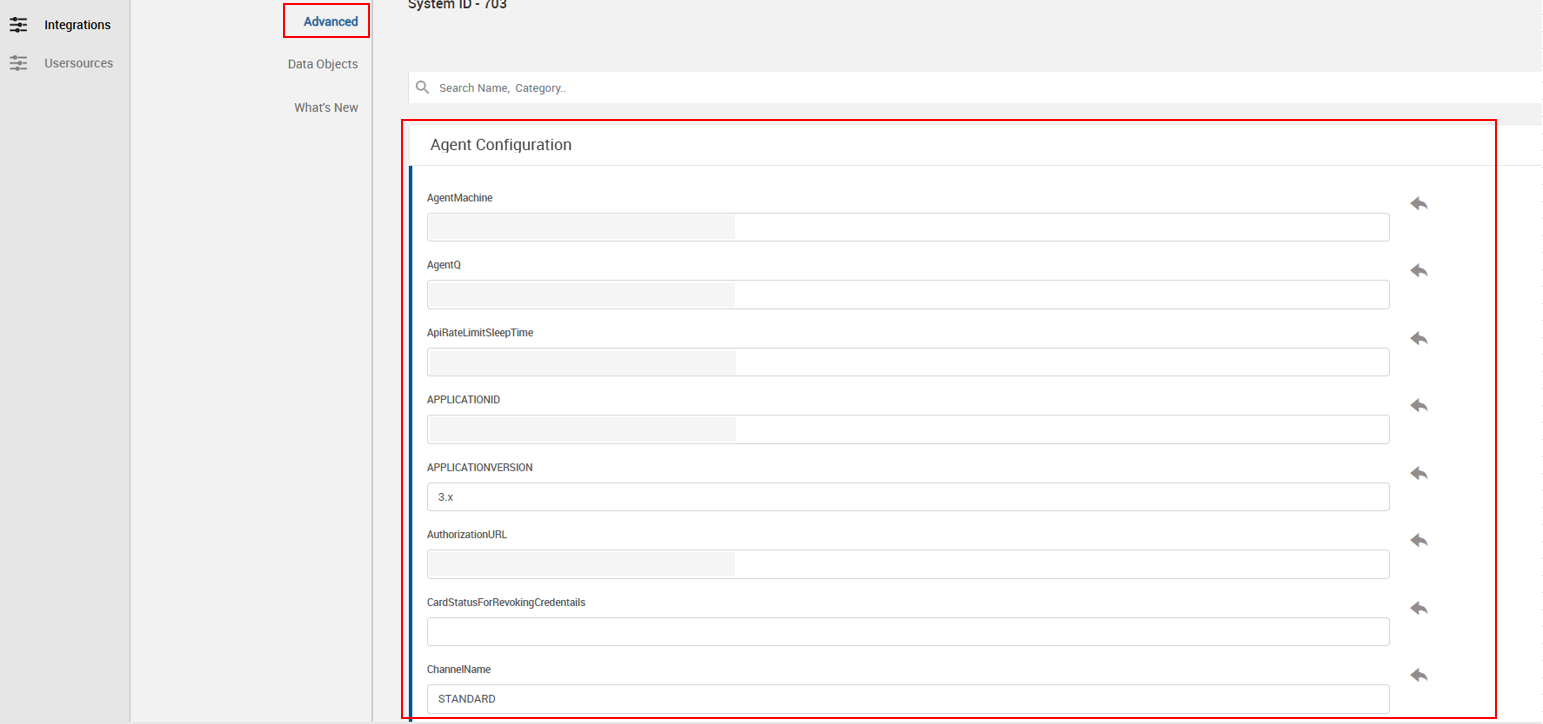
Configure the required settings under Agent Configuration.
-
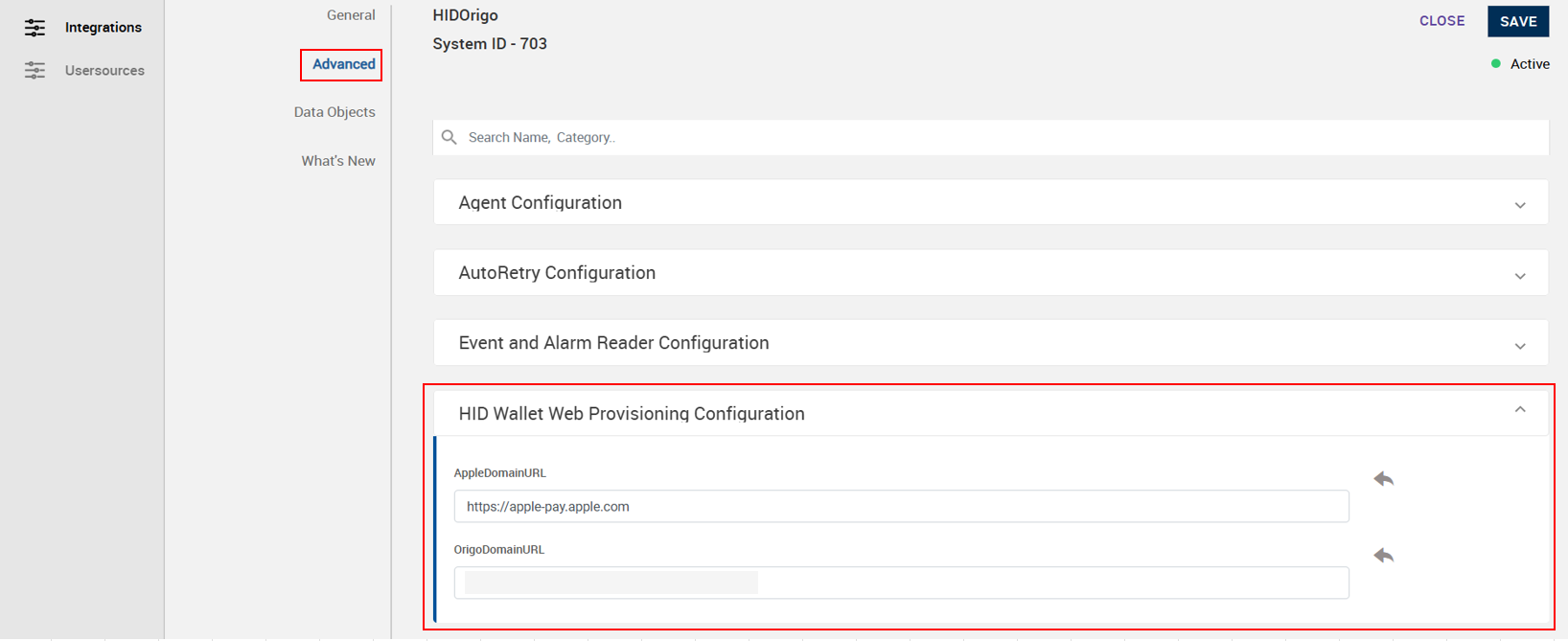
Configure the required settings under HID Wallet Web Provisioning Configuration:
-
AppleDomainURL
-
OrigoDomainURL
The rest of the settings are coming by default.
-
-
Once the configuration is complete, click SAVE.
The HIDOrigo Agent status turns to Active.
Agent Verification
To verify that the master data sync was successful, follow the steps below:
-
Log in to the HID VM as a Visitor Administrator.
-
Navigate to App Launcher > Admin modules > Badge Types in the left navigation panel.
-
Choose Pass Templates from the top right corner drop-down menu. The page lists the pass templates broadcasted from HID Origo.
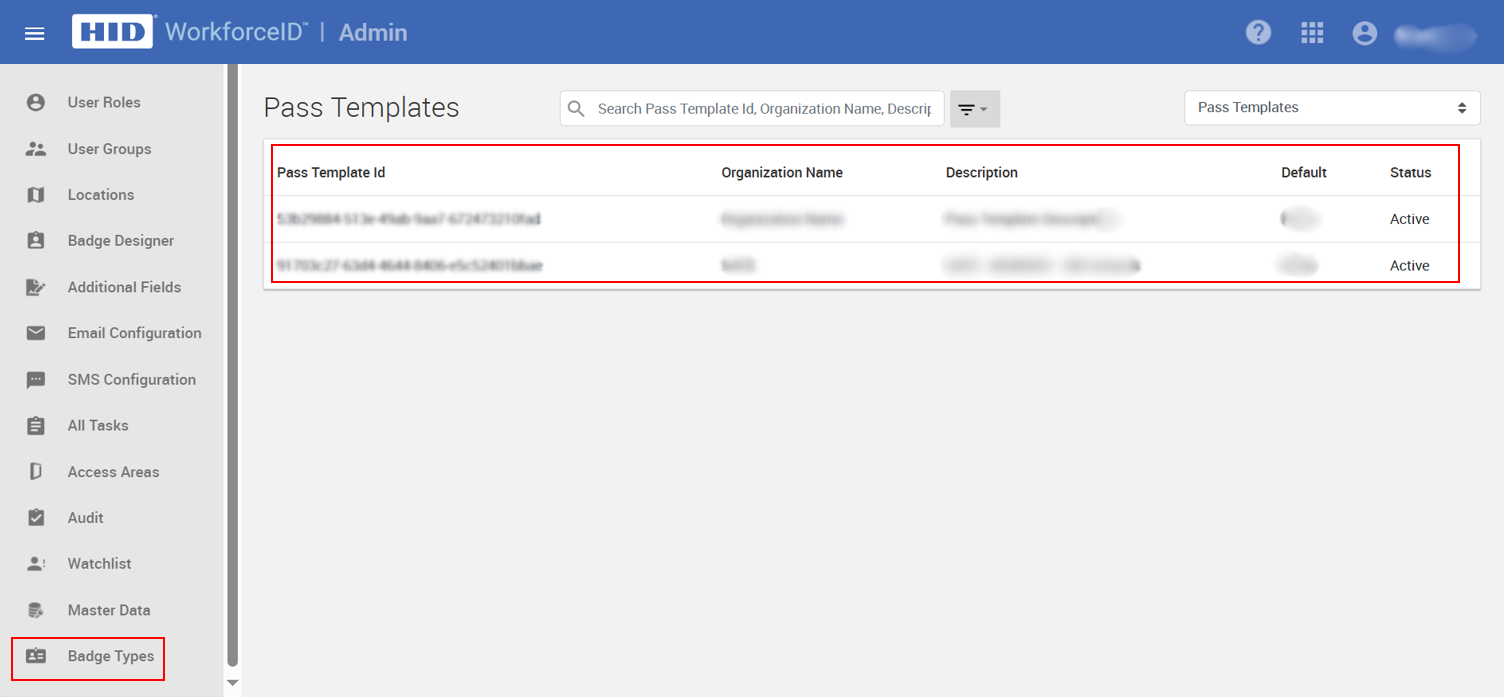
For each pass template, there is a corresponding credential template.
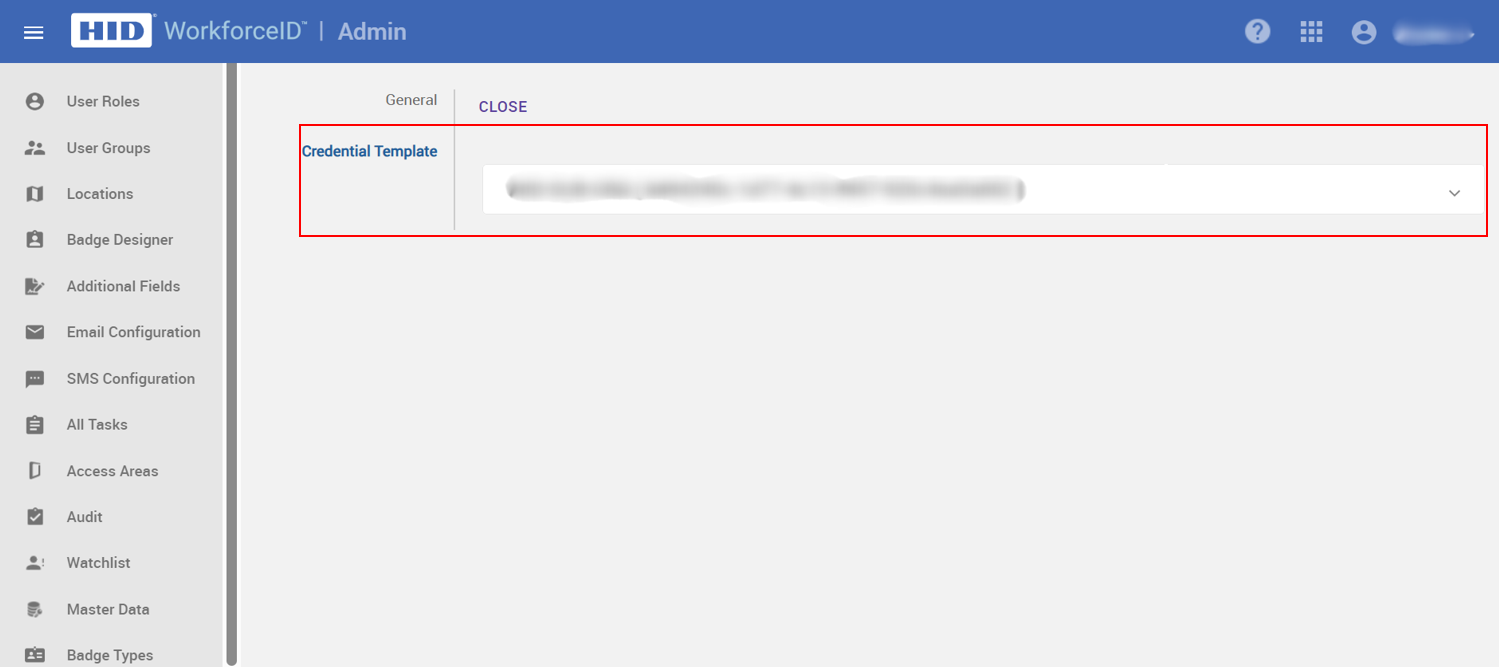
The listing of pass templates and their corresponding credential templates indicates that the master data sync from HID Origo to HID VM was successful.


