Viewing an Authentication Journey
You can view the authentication journey details by following the below steps:
-
Click Settings
 in the left navigation bar to open the Settings page.
 -
Click Authentication Journey on the Settings page, then you can see the list of authentication journeys.
-
From the list of authentication journeys, choose and click on the row of an authentication journey you want to view the configuration.
(or) you can also click on "View Authentication Journey" shown in the action menu (
 ) of an authentication journey.
-
Authentication Journey page opens, you can view the following information.
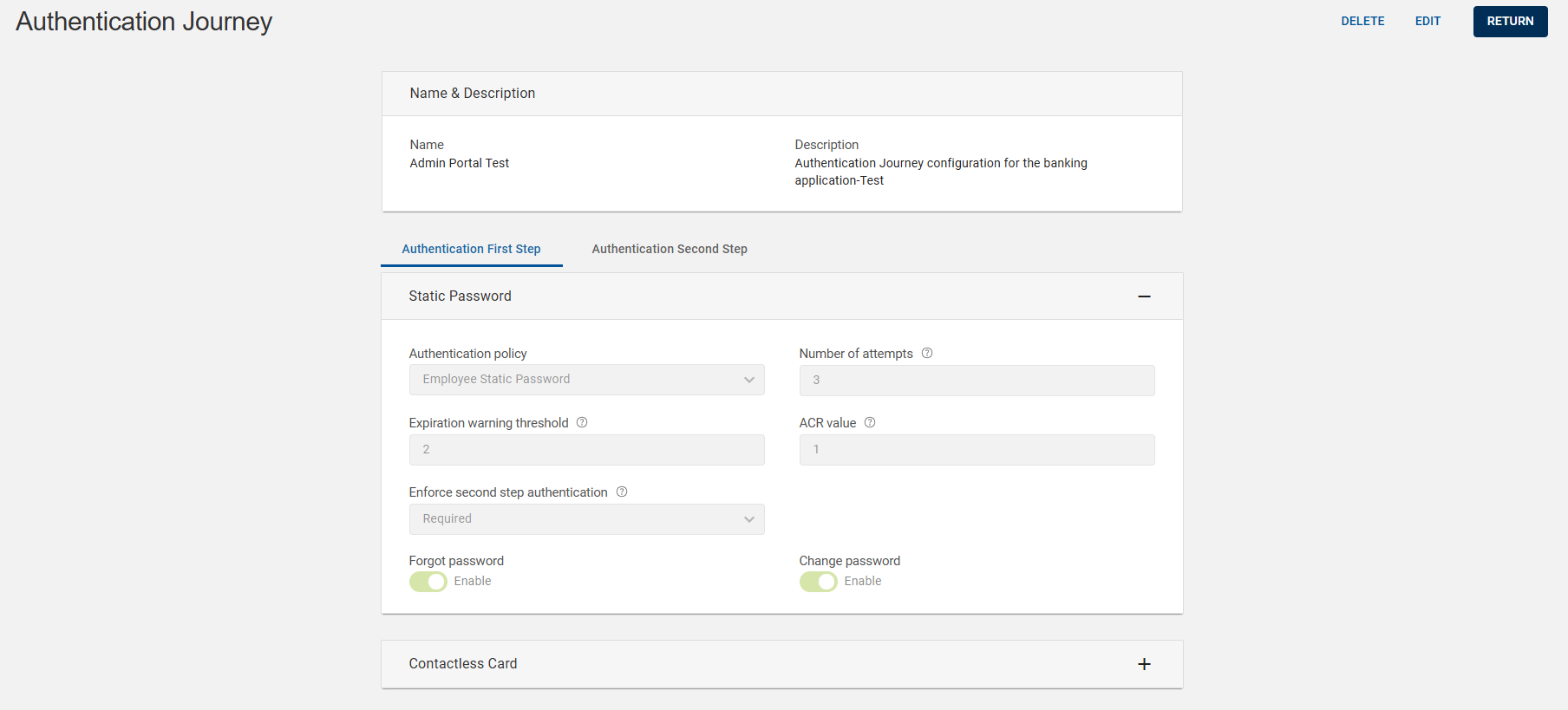
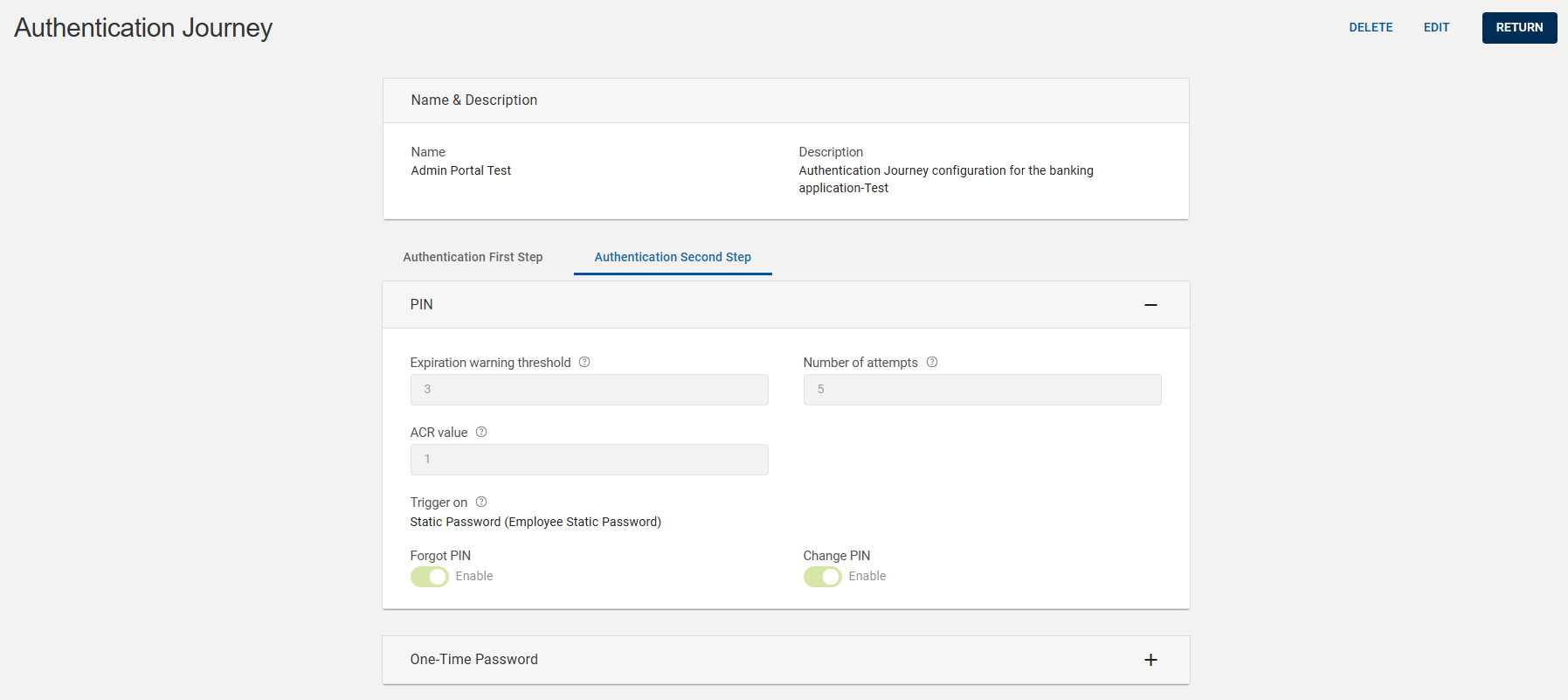 Note:
Note:If required,
Click EDIT to edit an authentication journey. Refer to Editing an Authentication Journey.
Click DELETE to delete an authentication journey. Refer to Deleting an Authentication Journey.
-
Click RETURN to return to the list of authentication journey page.


