HID Crescendo Manager is a free HID tool that provides an easy way to manage HID Crescendo® devices.
Since APDU command structures can be relatively complex, one way to simplify command formulation and testing is to use the APDU Access feature in Crescendo Manager.
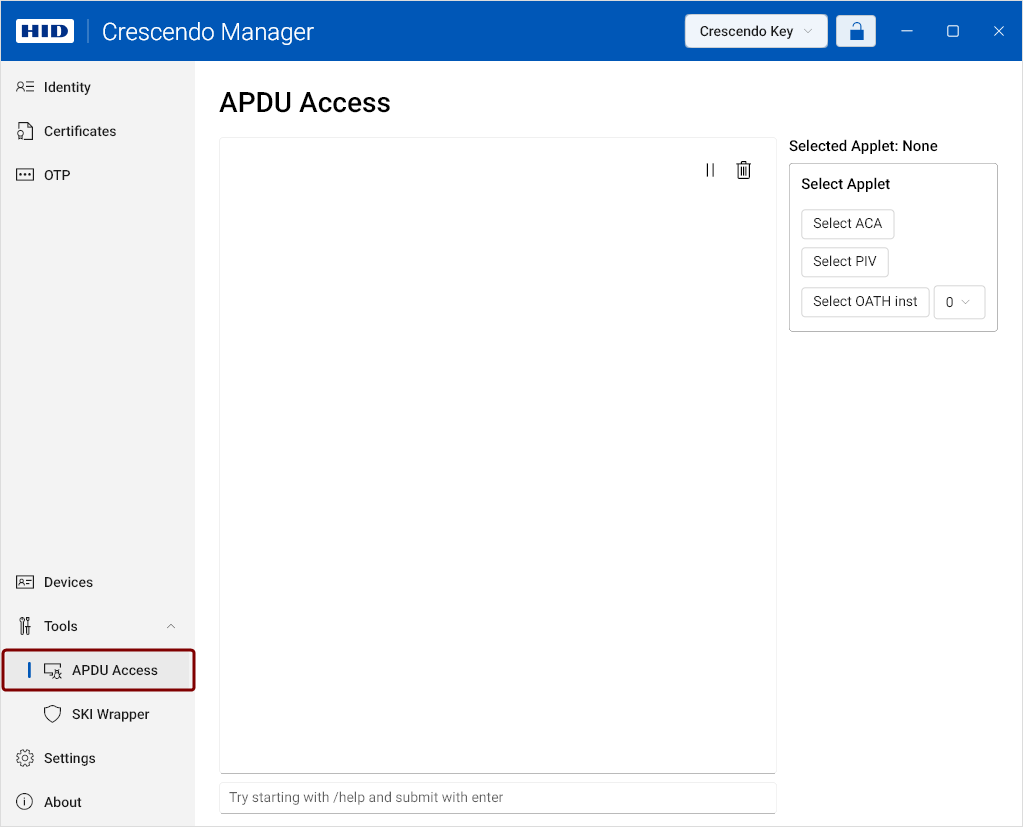
The APDU Access functionality allows you to:
-
Record the exact sequence of APDU commands sent during an operation performed in the Crescendo Manager GUI.
This enables you to copy and replicate the sequence in your own implementation or test environment.
-
Send custom APDU commands directly to a Crescendo card or key to test whether they are correctly formulated.
Recording APDU Command Sequences With Crescendo Manager
-
Download and install Crescendo Manager.
-
Connect your Crescendo card or key.
-
In the left navigation pane, click the Tools drop-down and select APDU Access.
Once the APDU Access view has been opened, all communication between the currently selected device and Crescendo Manager will be logged.
-
Return to the APDU Access view to view and copy the recorded APDU sequence.
Sending APDU Commands Manually With Crescendo Manager
-
Download and install Crescendo Manager.
-
Connect your Crescendo card or key.
-
In the left navigation pane, click the Tools drop-down and select APDU Access.
-
Paste the APDU command into the input field at the bottom of the view and press Enter to send it to the device.
Note: You can also type /help in the input field to display the APDU Access tool help. -
View the formatted APDU response displayed above the input field.


