Managing Agent General Details
This section allows you to change general details for an agent.
-
Log in to HIS Agent Admin portal.
-
Select an agent from the agent list and navigate to the Field Mappings tab.
-
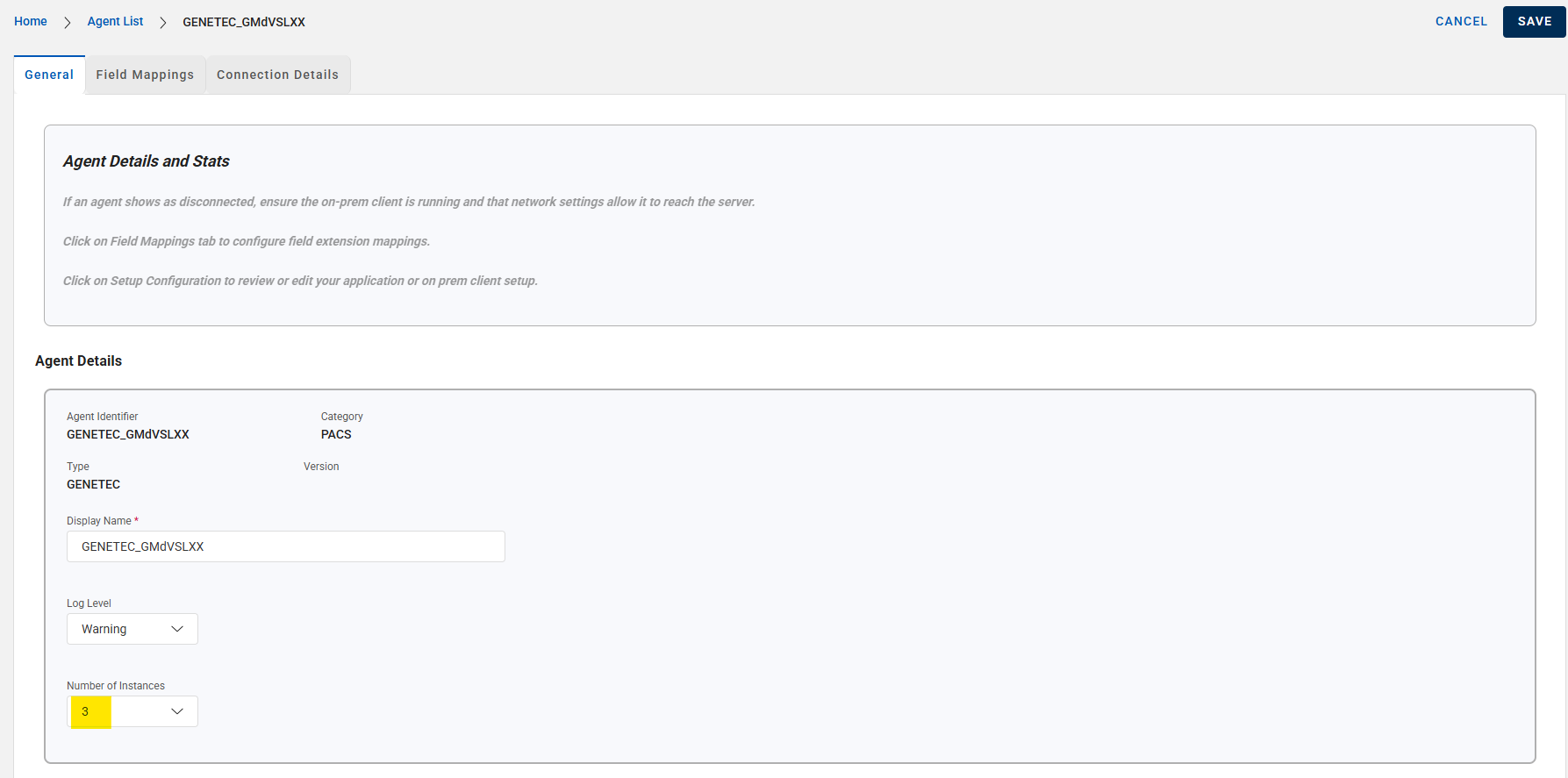
Change the agent Display Name as needed.
-
Configure the Log Level for the agent. This may be needed for troubleshooting purposes later.
-
Configure the number of agent instances to manage worker instances in the on-premises environment. While a higher value may improve performance, it also risks crashing or overwhelming the target system’s listeners. Generally, a value between 1 and 5 is recommended, with a default setting of 3. This value should be adjusted only when optimizing agent performance.
-
Change the agent Display Name as needed.
-
Configure the Log Level for the agent. This may be needed for troubleshooting purposes later.
-
Configure the number of agent instances to manage worker instances in the on-prem environment. While a higher value may improve performance, it also risks crashing or overwhelming the target system’s listeners. Generally, a value between 1 and 5 is recommended, with a default setting of 3. This value should be adjusted only when optimizing agent performance.
Next step - Managing Portal Users


